
 Headroomfor Mac
Every session,
at a glance.
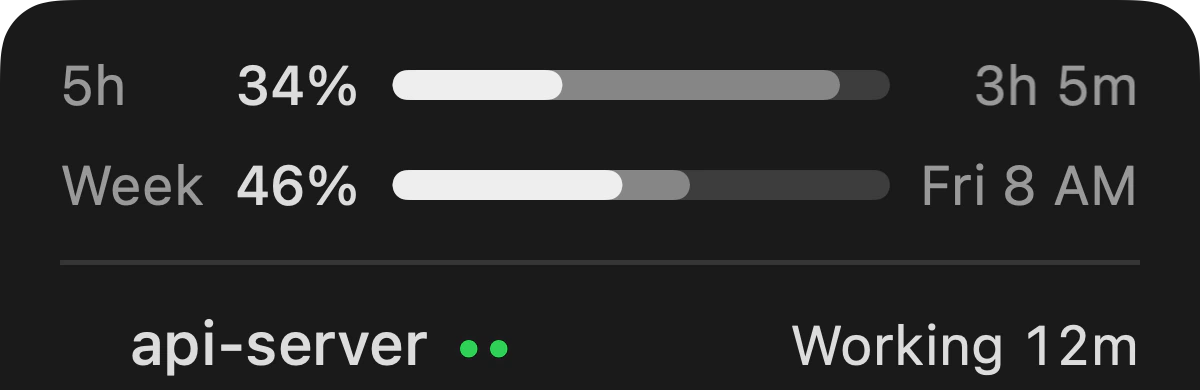
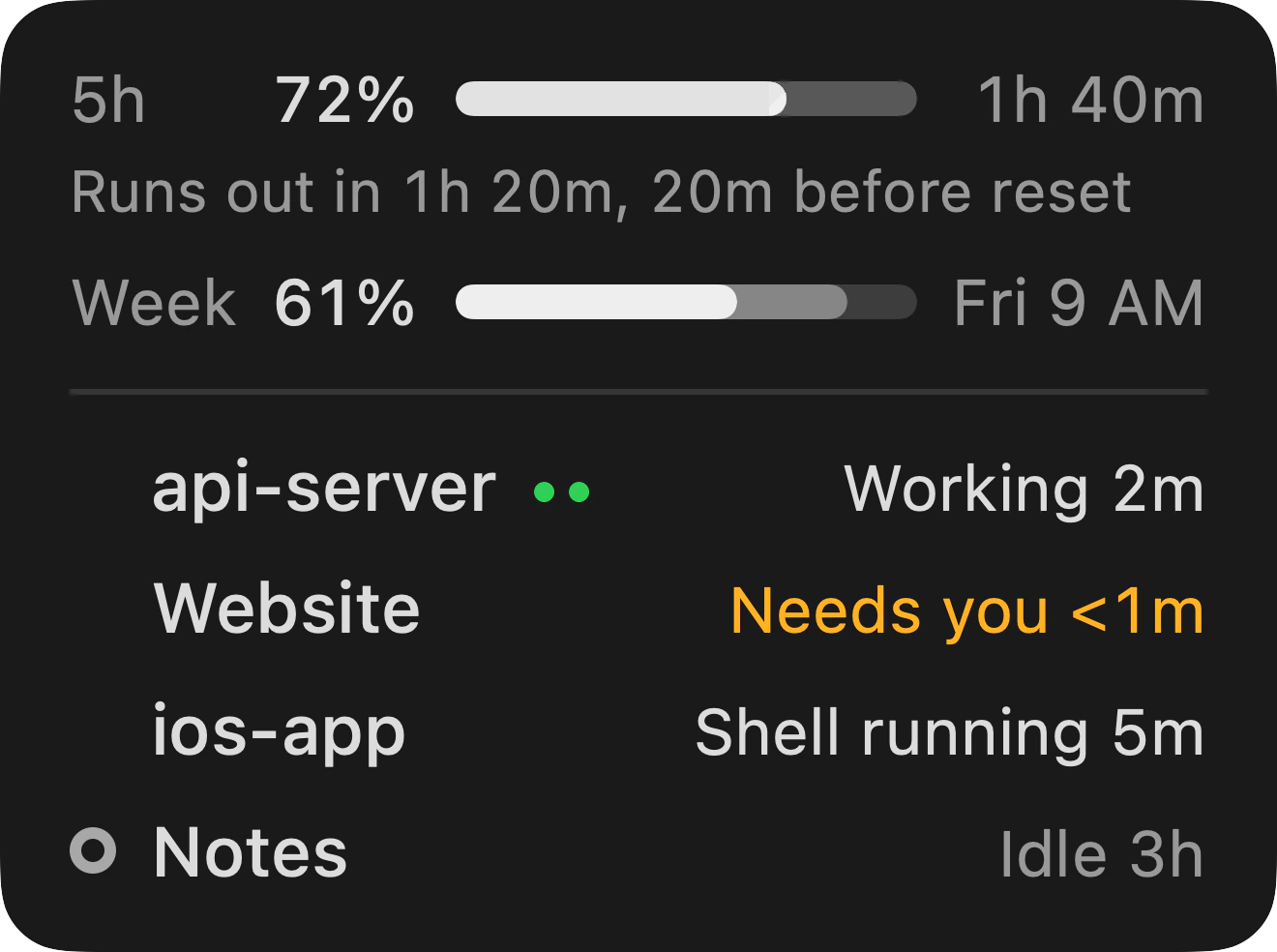
One row for each Claude Code session, always on top, with how much of your limit is left.
Coming soon to the Mac App Store
Free for 7 days, then $0.99 a week or $19.99 a year.












A shape for
every state.
Know what each session is doing without reading a word.
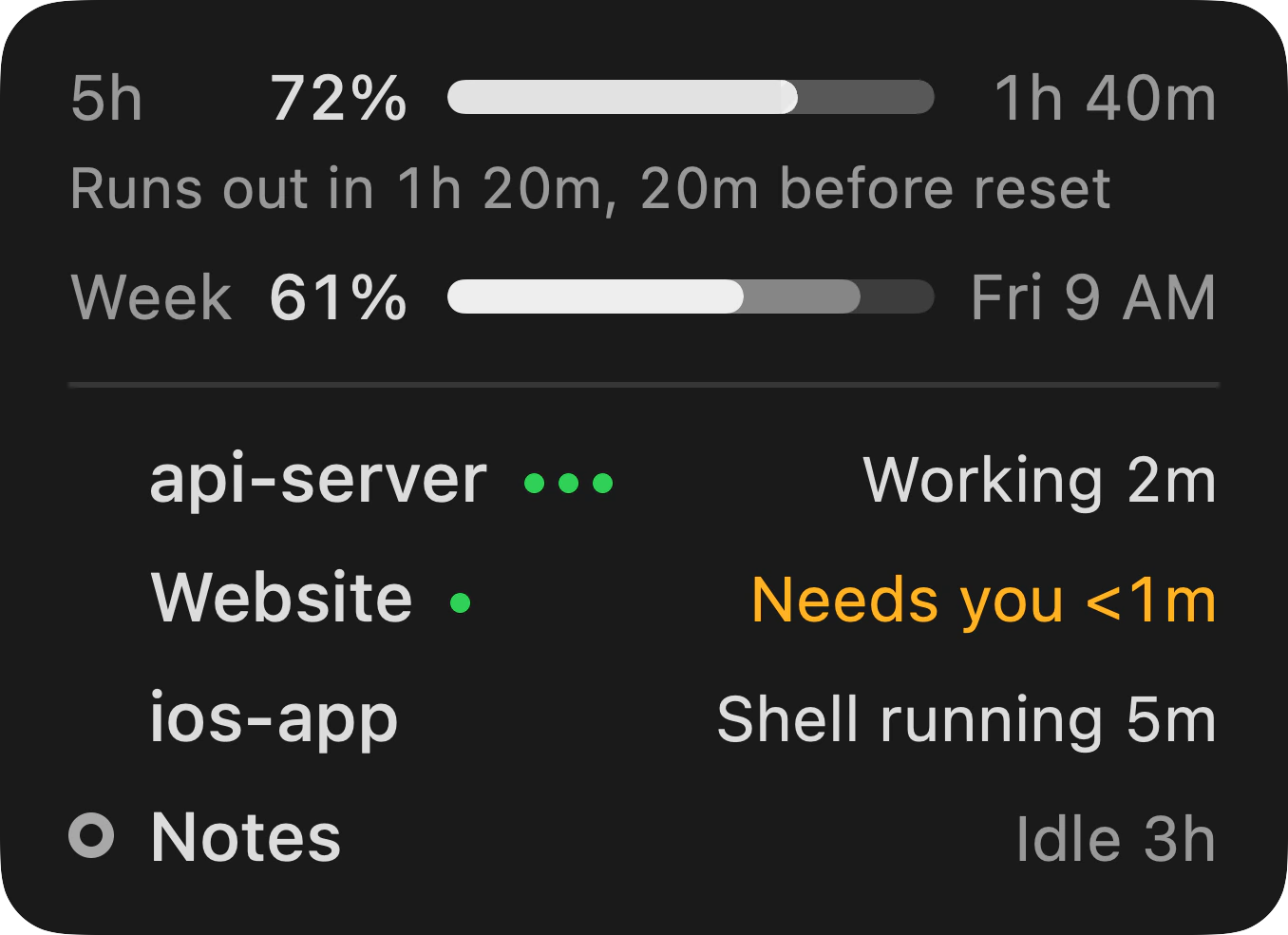

Working
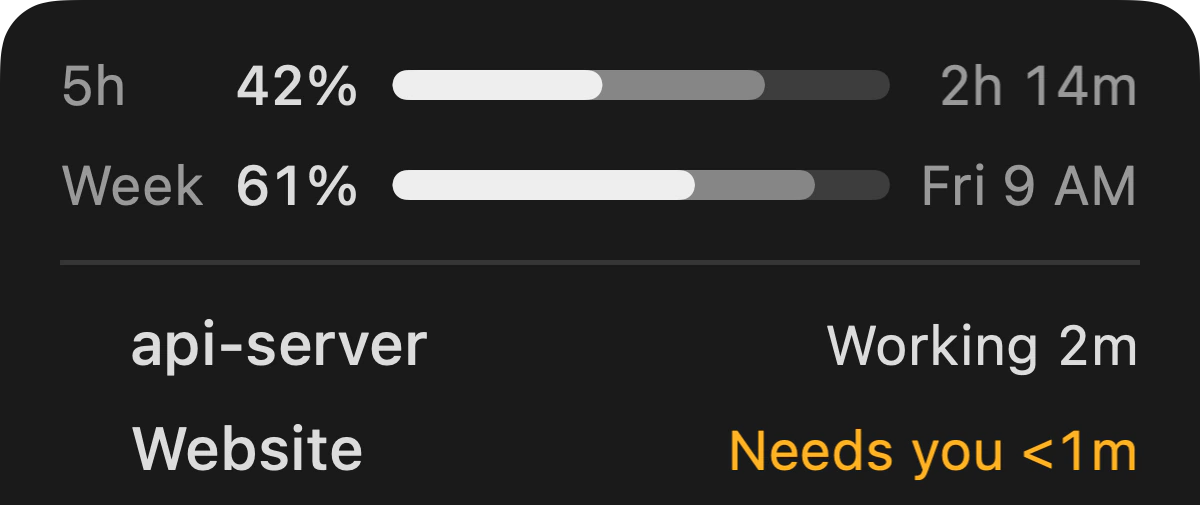
A green arc that stretches and catches up. The session is busy.
Needs you
An amber triangle that reaches up. A session is waiting on you.
Shell running
A blue square that keeps flipping. A command is running.
Idle
A still grey ring. Nothing is happening.
Leave it
working.
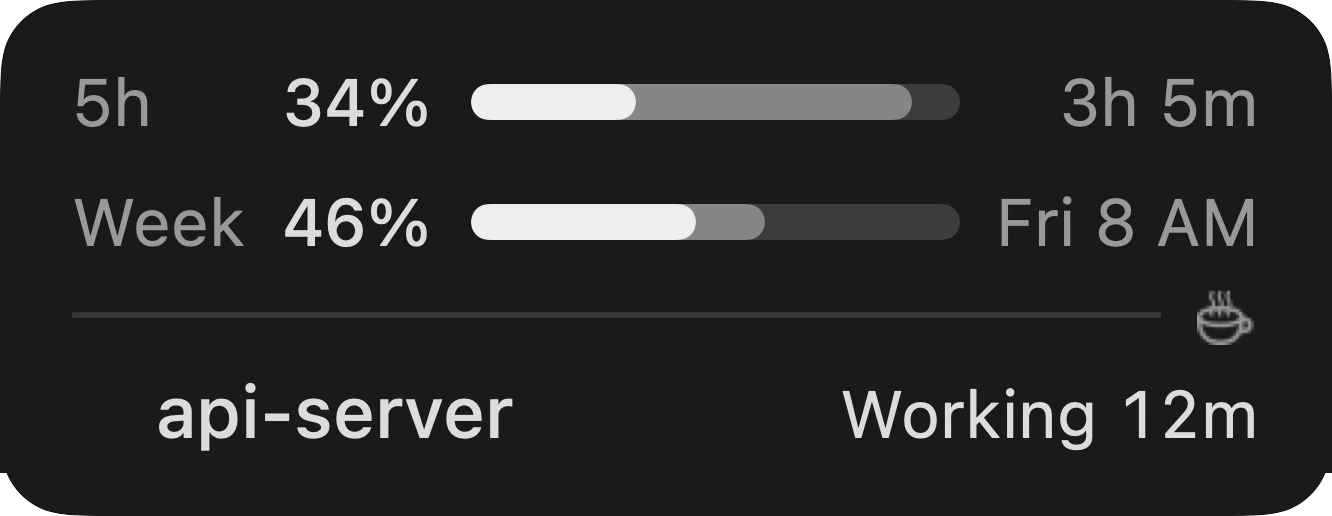
A dot for each subagent a session is running, and a cup while your Mac is held awake for them.
- Point at a row to see what each subagent is doing.
- Keep Mac Awake holds off idle sleep while a session works.
- Close the lid and your Mac sleeps as usual.
Know before
you hit the limit.
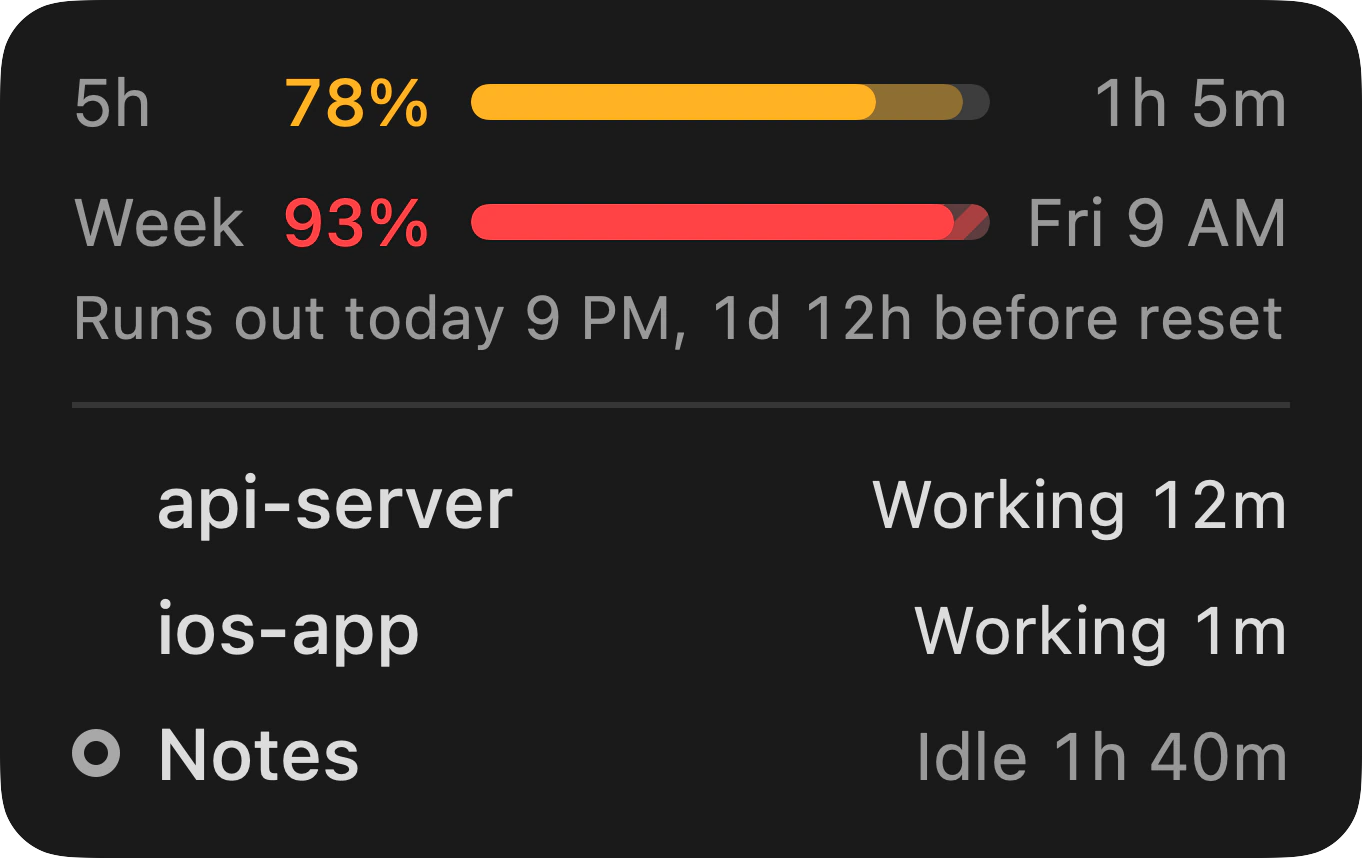
Your 5-hour and weekly limits as bars, with the time until each resets.
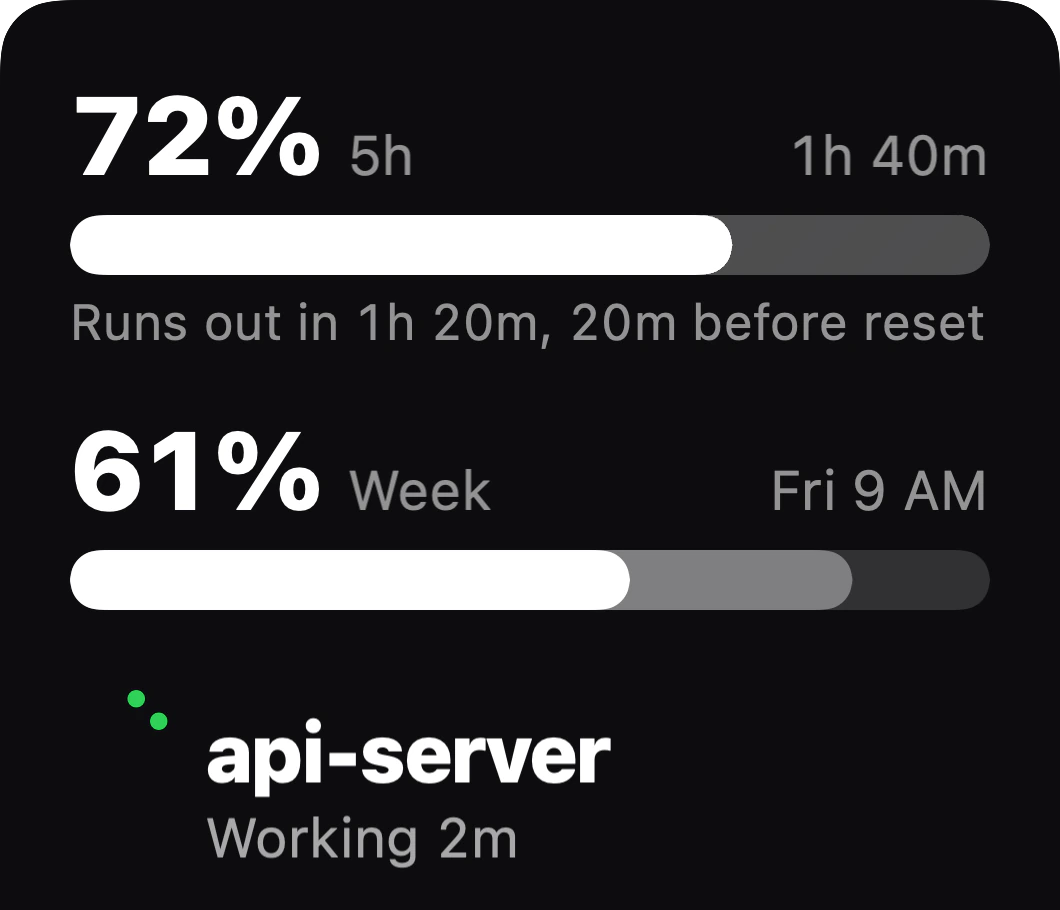
- See where your pace is heading, and when you would run out.
- Amber at 75%, red at 90%.
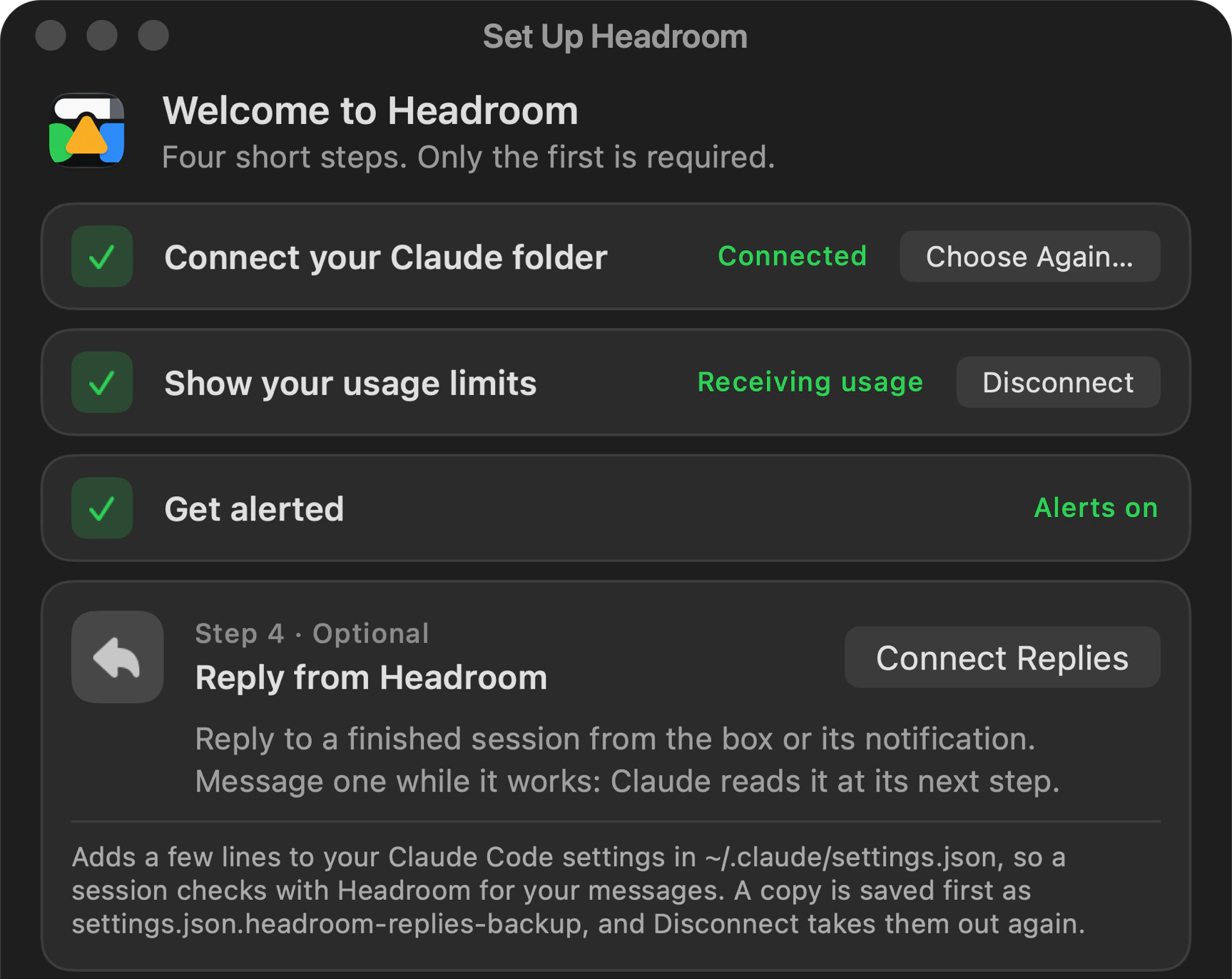
- One click to connect. No sign-in. For Claude subscriptions.
Step away.
It calls you back.
A notification the moment a session needs you.
- A softer one when a session finishes.
- A warning at 75% and 90% of a limit.
- A live menu bar icon: your limit and up to three sessions.


Reply from
the box.
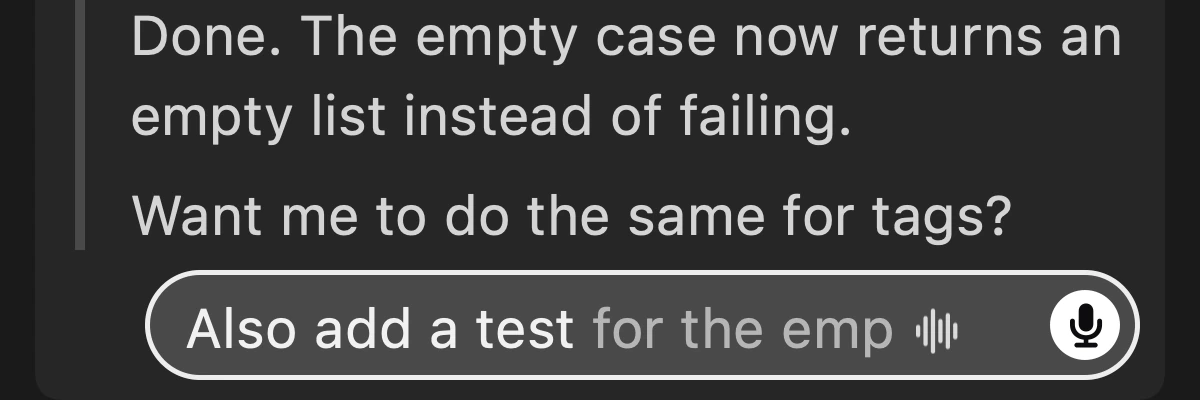
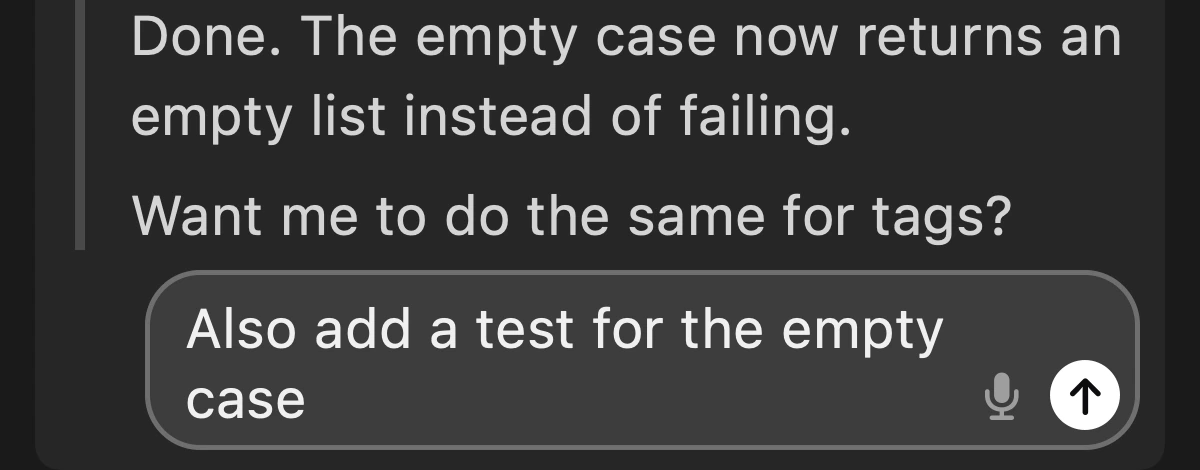
When a session finishes, click its row, type your next message and press Return.
- Or hold Space and talk. Your words become text on your Mac.
- The session carries on in its own terminal tab.
- Allow or deny permission prompts right from the box.











Headroom mode
Read it from across the room. The same box with big marks, big names and big numbers.


New
Headroom Desktop
When a glance is not enough: a window with every session down its side, and one open beside it.
- Open it from the box's menu, or with Control-Shift-Command-D from anywhere.
Headroom
sends nothing.
No account, no sign-in, no network connections of its own.
- It reads the folder you choose: status files and the last answer.
- A reply goes to its Claude Code session as if you typed it.
- The microphone is on only while you talk.
The details.
Made by SoftCrunchLabs.
Coming soon to the Mac App Store
- Requires
- macOS 26 or later, with Claude Code on the same Mac.
- Price
- Free to download from the Mac App Store. The box needs a subscription: $0.99 a week or $19.99 a year, each with a 7-day free trial for new subscribers. Cancel any time in your App Store account settings. Pre-order now, out December 1.
- The box
- Always on top, on every Space and over full-screen apps. Drag it anywhere, in five sizes. Slide it off the side of the screen to tuck it into a slim tab. Headroom mode draws it bigger and bolder.
- Usage limits
- Connect Usage adds one short command to your Claude Code status line. Your settings are saved first, and Disconnect puts them back.
- Replies
- Connect Replies adds a few lines to your Claude Code settings. A copy is saved first, and Disconnect takes them out again.
- Keep Mac Awake
- Holds off idle sleep while your sessions work. Close the lid and your Mac sleeps as usual.
- Privacy
- No data collected. No analytics, no ads, no tracking.
Headroom is an independent app and is not affiliated with or endorsed by Anthropic. Claude and Claude Code are trademarks of Anthropic.